Messages are constantly syncing but you can also sync them manually if needed.
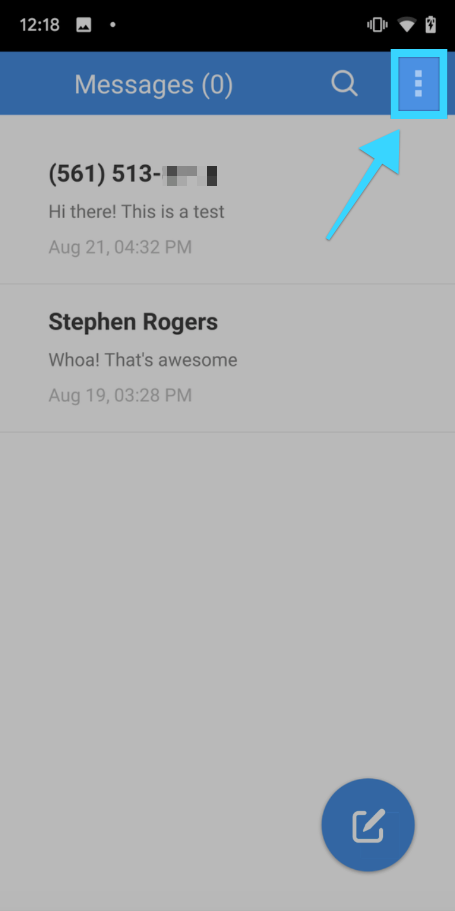
- On the main screen showing your conversations, tap on the three dots on the top right:
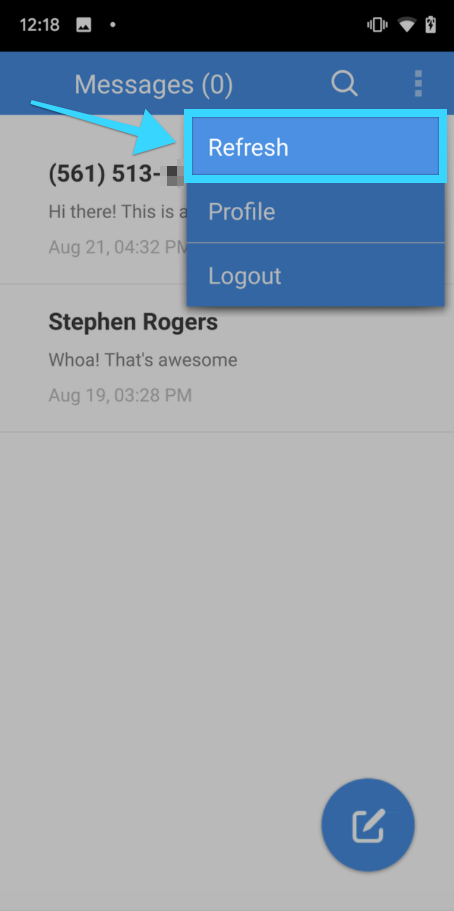
- A dropdown menu will appear. Tap on "Refresh":
- You will see a message at the bottom of the screen letting you know new messages are loading from the server.
- If there are new messages, they will load at the top of the main screen with the rest of your conversations.