How Long Does a Fax Take to Send?
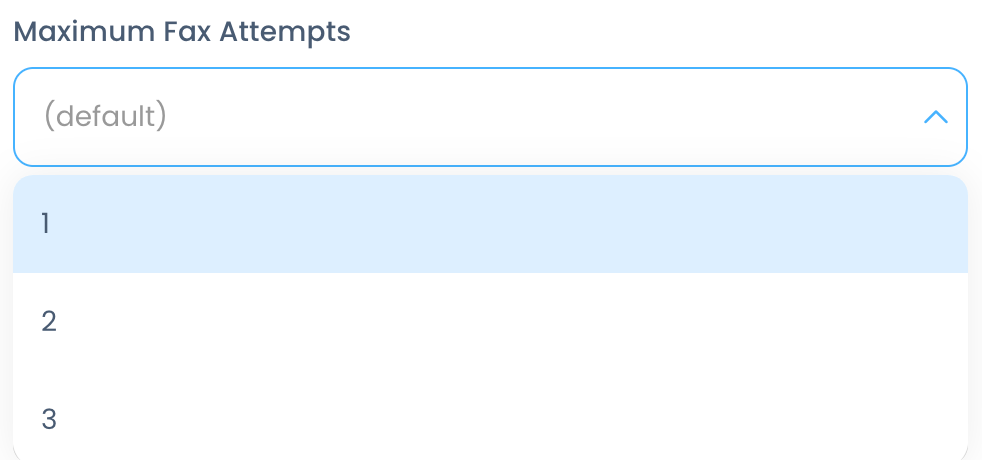
Standard documents (black text on white background) generally take 40-60 seconds per page. Documents that have color gradients, busy graphics, or photographic images can take much longer. Keep in mind that we do have a retry schedule on the backend, and we will attempt each fax a total of three times. An admin or owner may change this retry schedule within your Account Settings and clicking the Fax tab:
Related Articles
How To Send a Fax
Start by typing the 10-digit fax number into the Fax Number field, OR select a contact: NOTE: If sending an international fax, click the flag to select the proper country first. Next, select the cover page if you would like to use a different one ...
How to Schedule a Fax
Users can schedule a fax to send at a future time directly through the web portal utilizing the Send Later feature. Simply compose a fax like you normally would entering the receiving fax number, using a cover page if you choose, and adding your ...
How to Send a Fax from Email
One of the main features of Fax is the ability to send and receive faxes right from your email. Below you will find instructions on how to do this. Note: This feature will only work from an email address associated with an active account in our ...
Email Notification Settings
BlueCloud gives the ability to customize how you receive email notifications for inbound and outbound faxes. These can be set on the account and user levels. Any account level email notification settings will override user level settings. NOTE: If ...
Tags for Fax
This article will show you how to add and delete tags, and tag faxes. First, click the Toolbox menu, then click Tags: A tag can be added by clicking the + at the end of all the tags: A tag can be deleted by clicking the X next to that tag: Signature ...